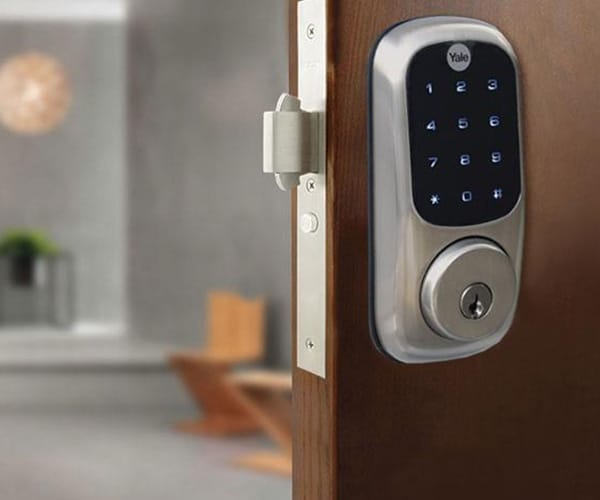
Swapping your traditional lock for a smart one is a decision that mixes security, convenience, and budget — and the answer isn't always "yes, switch." This guide compares both options with objective criteria, not the usual enthusiasm you'd find on a product page.
Security: which one protects your door better?
It's a common myth that smart locks are inherently "less secure." The reality is more nuanced:
- The mechanical cylinder of a good smart lock can be exactly as resistant to picking or bumping as a high-end traditional lock — it comes down to the manufacturer, not whether the lock is "smart" or not.
- The added risk really lives in the digital layer: weak passwords, poorly configured wifi, or outdated firmware. This risk is mitigated by choosing brands that ship regular security updates.
- A low-quality traditional lock (an unprotected euro cylinder) is, in practice, more vulnerable than a well-configured mid-range smart lock.
Direct comparison
| Criteria | Smart lock | Traditional lock |
|---|---|---|
| Upfront cost | Medium-high (~$150-350) | Low-medium (~$30-150) |
| Installation | Self-installable in most cases | May require a locksmith depending on the model |
| Remote / temporary access | Yes (codes for guests, housekeeping, etc.) | No — requires a physical key copy |
| Access log | Yes, a history of who entered and when | No |
| Reliance on battery/electronics | Yes, with a physical key backup | No |
| Maintenance | Battery swap 1-2 times a year | Virtually none |
Types of smart lock entry methods
Most smart locks support more than one way in, but it's worth knowing the tradeoffs of each before you rely on it as your primary method:
- Keypad (PIN code): the most universal option — works even if your phone is dead. Look for a lock with a scrambling or randomized keypad layout, which prevents someone from guessing your code by spotting worn-down number buttons.
- App / Bluetooth or wifi: convenient and lets you manage access remotely, but depends on your phone having battery and the app working — not ideal as your only method.
- Fingerprint: fast and doesn't require remembering a code, though performance can degrade with wet or dirty hands and in very cold weather.
- Key fob: useful for kids or elderly family members who might struggle with an app or a keypad.
- Physical key backup: nearly every reputable smart lock still includes a traditional keyway for emergencies — treat it exactly as securely as you would a regular house key.
Installing a smart lock: do you need a locksmith?
Most smart locks are designed as drop-in replacements for a standard deadbolt and are self-installable with a screwdriver in 20-30 minutes, provided your door already has a standard deadbolt-prepped hole. You'll likely need a locksmith or contractor if:
- Your door has a non-standard bore hole or backset measurement that doesn't match typical US/UK deadbolt specs.
- You're switching from a lock type that requires re-cutting or re-drilling the door itself.
- You want to integrate the lock with a full access-control system tied into other hardware.
Before buying, measure your door's thickness and the backset (distance from the door edge to the center of the bore hole) and check them against the smart lock's listed compatibility range.
Battery life and what drains it faster
Most smart locks run 6-12 months on a set of batteries under normal use. A few things shorten that significantly:
- Cold weather — batteries lose capacity faster outdoors in winter, so exterior doors in cold climates may need more frequent changes.
- Heavy wifi/Bluetooth use — locks that stay constantly connected to auto-unlock features (geofencing) tend to drain faster than ones you unlock manually via keypad or app.
- Frequent motor cycling — a household with a lot of daily unlock/lock events wears through batteries faster than a single-person home.
Nearly all smart locks send a low-battery warning to your phone with enough lead time to swap batteries before you're locked out — but keep a spare set on hand regardless.
When a smart lock makes sense
- You rent out your home short-term (Airbnb or similar) and need to grant remote access without handing over physical keys.
- Multiple people (family, household staff) need to come and go on different schedules and you want to know who entered and when.
- You want to integrate it with an existing alarm system or smart home assistant.
- You tend to lose or forget your keys often.
When it's NOT worth switching (yet)
- Your priority is minimum cost and a quality traditional lock already covers your security needs.
- The wifi signal at your front door is unreliable — a poorly connected smart lock creates more frustration than benefit.
- You're not comfortable managing firmware updates or configuring an app — in that case, prioritize models with straightforward customer support.
Frequently asked questions
Are smart locks easier to pick or break into than traditional locks?
Not necessarily. Mid-to-high-end smart locks use the same certified security cylinders as quality traditional locks, plus added protection against bumping or picking. The real weak point tends to be the digital layer (wifi/bluetooth), not the mechanics.
What happens to a smart lock during a power outage or dead battery?
Most quality smart locks run on batteries independent of your home's electrical power and warn you well ahead of time when the battery is low. Nearly all of them also keep a physical emergency key slot as backup.
Is a smart lock worth it if I live alone?
If you don't need to grant remote access to other people (family, housekeeping, guests), the main benefit boils down to the convenience of not carrying physical keys. The cost-benefit improves a lot when several people need to come and go on different schedules.